Note
Go to the end to download the full example code or to run this example in your browser via Binder.
Density Plot Example
This example looks at how to plot 2d density plots. The Plotter().plot_density function can be
used to plot any number of StateMutableSequence objects. StateMutableSequences are just a
container for a number of states - examples include tracks and ground truth paths. The examples
below show how to plot ground truth paths (as they’re easy to generate). The function can be used to
analyse large data sets.
Set the imports and set the start time
from datetime import datetime, timedelta
from matplotlib import animation

from stonesoup.types.groundtruth import GroundTruthPath, GroundTruthState
from stonesoup.models.transition.linear import CombinedLinearGaussianTransitionModel, \
                                               ConstantVelocity
from stonesoup.plotter import Plotter

start_time = datetime.now()
Generate the State Sequences to Plot
In this example we will plot ground truth paths due to their ease of creation. The ground truths are created in the following function:
def generate_ground_truth_path(initial_state, num_steps=20, motion_model_noise=0.01):

    transition_model = CombinedLinearGaussianTransitionModel(
        [ConstantVelocity(motion_model_noise), ConstantVelocity(motion_model_noise)])

    ground_truth = GroundTruthPath([GroundTruthState(initial_state, timestamp=start_time)])

    for k in range(0, num_steps):
        ground_truth.append(GroundTruthState(
            transition_model.function(ground_truth[k], noise=True,
                                      time_interval=timedelta(seconds=1)),
            timestamp=start_time+timedelta(seconds=k+1)))

    return ground_truth
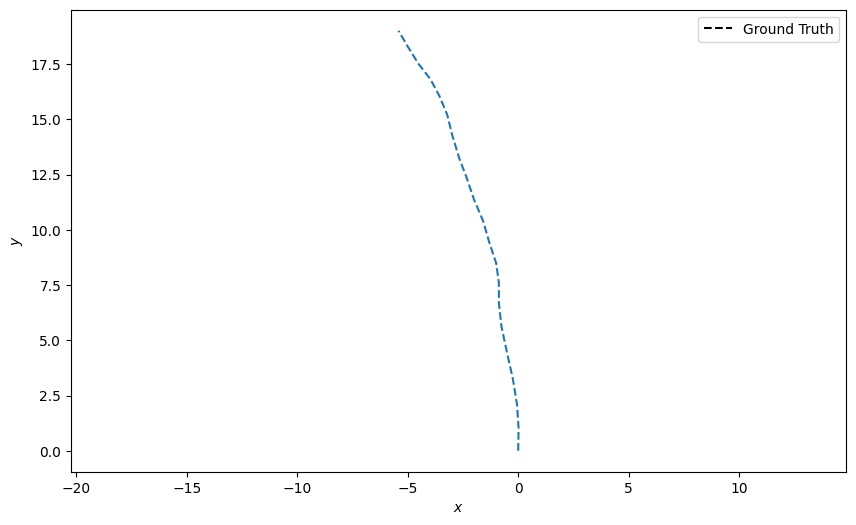
Create one ground truth path starting at the origin (0, 0) and plot it:
n_time_steps = 20
truth = generate_ground_truth_path(initial_state=[0, 0, 0, 1], num_steps=n_time_steps)

plotter = Plotter()
plotter.plot_ground_truths(truth, [0, 2])
[<matplotlib.lines.Line2D object at 0x76386b5342f0>, <matplotlib.legend.Legend object at 0x76386b5352b0>]
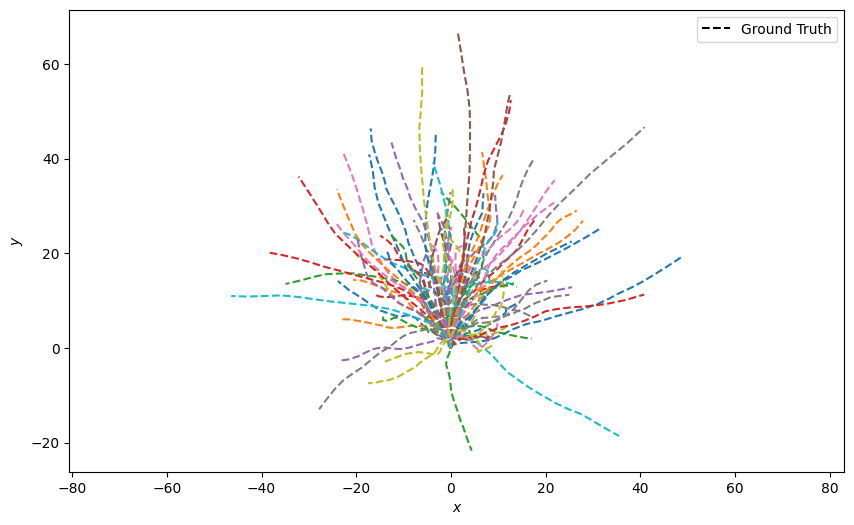
Generate 100 ground truth paths and plot them all at once. This looks quite messy:
truths = [generate_ground_truth_path(initial_state=[0, 0, 0, 1],
                                     num_steps=n_time_steps,
                                     motion_model_noise=0.1)
          for _ in range(100)]

plotter = Plotter()
plotter.plot_ground_truths(set(truths), [0, 2])
[<matplotlib.lines.Line2D object at 0x763865820590>, <matplotlib.lines.Line2D object at 0x763865820050>, <matplotlib.lines.Line2D object at 0x763865823620>, <matplotlib.lines.Line2D object at 0x763865822f90>, <matplotlib.lines.Line2D object at 0x7638658227b0>, <matplotlib.lines.Line2D object at 0x763865820440>, <matplotlib.lines.Line2D object at 0x763865820ad0>, <matplotlib.lines.Line2D object at 0x763865822e40>, <matplotlib.lines.Line2D object at 0x763865820c20>, <matplotlib.lines.Line2D object at 0x763865821010>, <matplotlib.lines.Line2D object at 0x763865822cf0>, <matplotlib.lines.Line2D object at 0x763865820ec0>, <matplotlib.lines.Line2D object at 0x763865820d70>, <matplotlib.lines.Line2D object at 0x763865822120>, <matplotlib.lines.Line2D object at 0x763876ede510>, <matplotlib.lines.Line2D object at 0x763876edfe00>, <matplotlib.lines.Line2D object at 0x763876edf0e0>, <matplotlib.lines.Line2D object at 0x763876edfcb0>, <matplotlib.lines.Line2D object at 0x763876ede7b0>, <matplotlib.lines.Line2D object at 0x763876edfb60>, <matplotlib.lines.Line2D object at 0x763876edd7f0>, <matplotlib.lines.Line2D object at 0x763876edd010>, <matplotlib.lines.Line2D object at 0x763876edf8c0>, <matplotlib.lines.Line2D object at 0x763876edea50>, <matplotlib.lines.Line2D object at 0x763876edcad0>, <matplotlib.lines.Line2D object at 0x763876ede120>, <matplotlib.lines.Line2D object at 0x763876edd160>, <matplotlib.lines.Line2D object at 0x763876edf230>, <matplotlib.lines.Line2D object at 0x763876edd400>, <matplotlib.lines.Line2D object at 0x763876edfa10>, <matplotlib.lines.Line2D object at 0x763876edd550>, <matplotlib.lines.Line2D object at 0x763876ede660>, <matplotlib.lines.Line2D object at 0x763876edef90>, <matplotlib.lines.Line2D object at 0x763876edde80>, <matplotlib.lines.Line2D object at 0x763876edd940>, <matplotlib.lines.Line2D object at 0x763876edee40>, <matplotlib.lines.Line2D object at 0x763876edecf0>, <matplotlib.lines.Line2D object at 0x763876edda90>, <matplotlib.lines.Line2D object at 0x763876edf380>, <matplotlib.lines.Line2D object at 0x763876edf4d0>, <matplotlib.lines.Line2D object at 0x763876edcec0>, <matplotlib.lines.Line2D object at 0x763876edd2b0>, <matplotlib.lines.Line2D object at 0x763876eddfd0>, <matplotlib.lines.Line2D object at 0x763876ede270>, <matplotlib.lines.Line2D object at 0x763876edeba0>, <matplotlib.lines.Line2D object at 0x763876ede3c0>, <matplotlib.lines.Line2D object at 0x763876edcc20>, <matplotlib.lines.Line2D object at 0x763876eddbe0>, <matplotlib.lines.Line2D object at 0x763876ede900>, <matplotlib.lines.Line2D object at 0x763876edd6a0>, <matplotlib.lines.Line2D object at 0x763876edcd70>, <matplotlib.lines.Line2D object at 0x763876e58440>, <matplotlib.lines.Line2D object at 0x763876e58980>, <matplotlib.lines.Line2D object at 0x763876e5aba0>, <matplotlib.lines.Line2D object at 0x763876e5ae40>, <matplotlib.lines.Line2D object at 0x763876e59e80>, <matplotlib.lines.Line2D object at 0x763876e5acf0>, <matplotlib.lines.Line2D object at 0x763876e597f0>, <matplotlib.lines.Line2D object at 0x763876e5a900>, <matplotlib.lines.Line2D object at 0x763876e59550>, <matplotlib.lines.Line2D object at 0x763876e59be0>, <matplotlib.lines.Line2D object at 0x763876e59fd0>, <matplotlib.lines.Line2D object at 0x763876e59a90>, <matplotlib.lines.Line2D object at 0x763876e5aa50>, <matplotlib.lines.Line2D object at 0x763876e5a510>, <matplotlib.lines.Line2D object at 0x763876e5a120>, <matplotlib.lines.Line2D object at 0x763876e59d30>, <matplotlib.lines.Line2D object at 0x763876e59940>, <matplotlib.lines.Line2D object at 0x763876e5a660>, <matplotlib.lines.Line2D object at 0x763876e59400>, <matplotlib.lines.Line2D object at 0x763876e5a7b0>, <matplotlib.lines.Line2D object at 0x763876e5a270>, <matplotlib.lines.Line2D object at 0x763874eef770>, <matplotlib.lines.Line2D object at 0x7638688834d0>, <matplotlib.lines.Line2D object at 0x7638688827b0>, <matplotlib.lines.Line2D object at 0x7638688823c0>, <matplotlib.lines.Line2D object at 0x763868881550>, <matplotlib.lines.Line2D object at 0x763868883770>, <matplotlib.lines.Line2D object at 0x7638688838c0>, <matplotlib.lines.Line2D object at 0x763868883a10>, <matplotlib.lines.Line2D object at 0x763868883b60>, <matplotlib.lines.Line2D object at 0x763868882270>, <matplotlib.lines.Line2D object at 0x763868880ad0>, <matplotlib.lines.Line2D object at 0x763868880c20>, <matplotlib.lines.Line2D object at 0x763868880d70>, <matplotlib.lines.Line2D object at 0x7638688812b0>, <matplotlib.lines.Line2D object at 0x763868881e80>, <matplotlib.lines.Line2D object at 0x763868882ba0>, <matplotlib.lines.Line2D object at 0x763868882cf0>, <matplotlib.lines.Line2D object at 0x763868882e40>, <matplotlib.lines.Line2D object at 0x763868883230>, <matplotlib.lines.Line2D object at 0x763868883380>, <matplotlib.lines.Line2D object at 0x763868882120>, <matplotlib.lines.Line2D object at 0x763868881a90>, <matplotlib.lines.Line2D object at 0x763868881160>, <matplotlib.lines.Line2D object at 0x763868883e00>, <matplotlib.lines.Line2D object at 0x763868881400>, <matplotlib.lines.Line2D object at 0x763868882510>, <matplotlib.lines.Line2D object at 0x763868882900>, <matplotlib.lines.Line2D object at 0x763868882660>, <matplotlib.legend.Legend object at 0x763865820980>]
Density Plot of All States
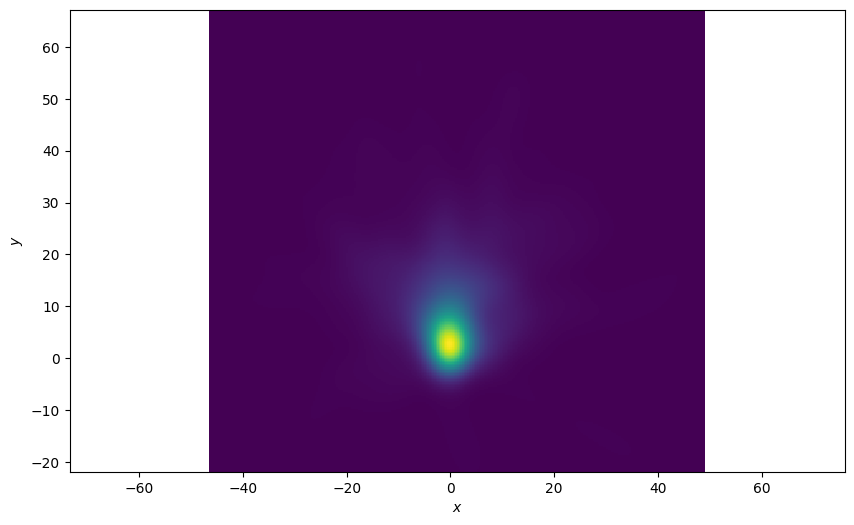
Plot a 2D density plot for all the states in the ground truths. This is a better visualisation because we can see a clear concentration of states around the origin where all the tracks start.
plotter = Plotter()
plotter.plot_density(truths, index=None)
Plot of the Last State of the Ground Truths
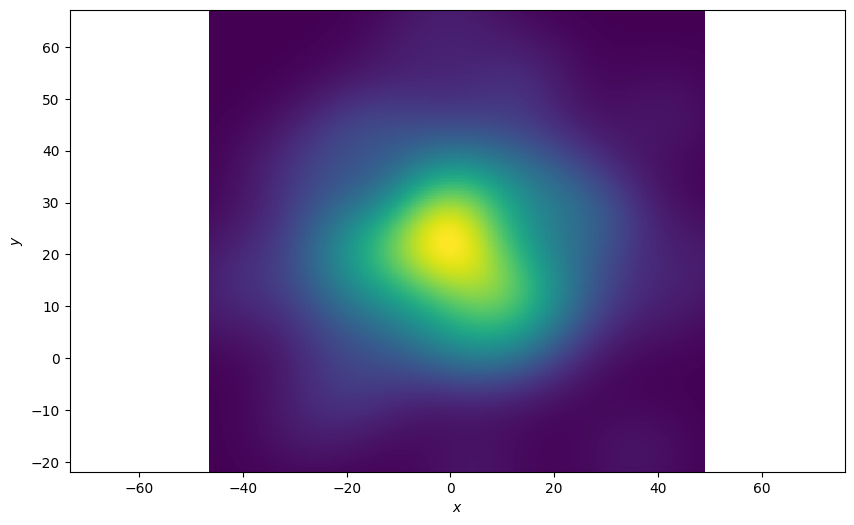
The function allows you to pick an index of the state sequence (ground truth in this example) to plot. In this example we’re only interested in the final state of the sequences. An index of ‘-1’ is the last state in the sequence. The resultant plot is much more spread out.
plotter = Plotter()
plotter.plot_density(truths, index=-1)
Plot each state over time
Plot the density at each time-step and see how the density plot evolves. Define an animation update function.
def update(i):
    plotter.ax.clear()
    plotter.plot_density(truths, index=i)
    return plotter.ax
Finally, plot the densities over time.
plotter = Plotter()
animation.FuncAnimation(plotter.fig, update, frames=range(1, n_time_steps))
Total running time of the script: (0 minutes 15.569 seconds)
